# Overview

If you have made it to this page, you probably have already heard that Thryve allows developers like you to connect to all kinds of smartwatches, health trackers, consumer sensors, but also health data created from smartphones and other health apps.

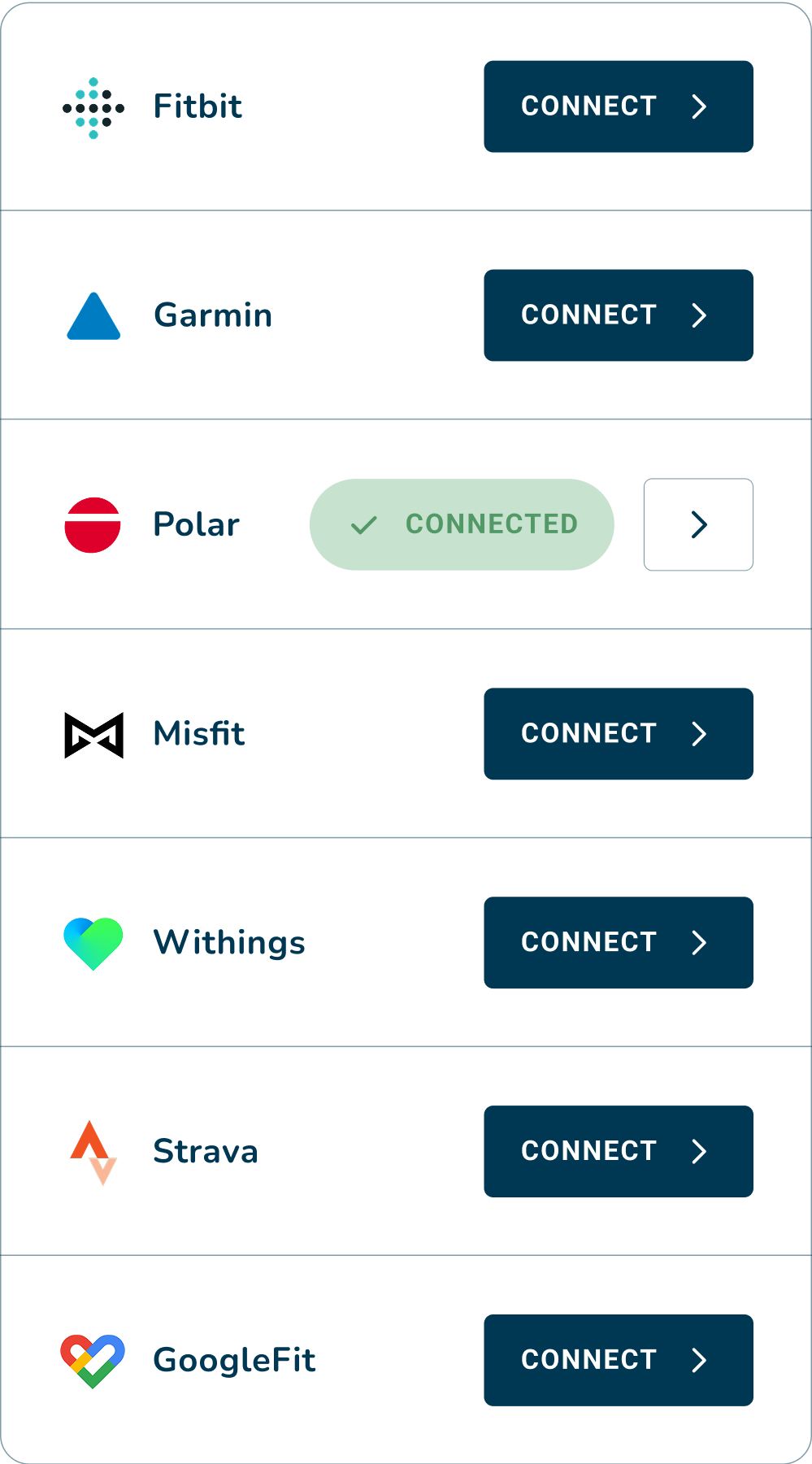
<figure><img src="/files/JGhcsTMHN0B0mKVgyJ37" alt="" width="188"><figcaption><p>Thryve Connection Widget displaying selected data sources</p></figcaption></figure>

You can find the full list of actively supported and maintained data sources that your users can connect to. But make sure to scroll past the table, as we will explain some key concepts when it comes to consumer health data sources.

<table data-full-width="true"><thead><tr><th width="82">ID</th><th width="208">Data Source</th><th width="107">Type</th><th width="140.11279296875">Retrieval Method</th><th width="164">Historic data</th><th>Shared oAuth-client</th></tr></thead><tbody><tr><td>1</td><td>Fitbit</td><td>Web</td><td>Ping</td><td>yes</td><td>yes</td></tr><tr><td>2</td><td>Garmin</td><td>Web</td><td>Ping</td><td>yes</td><td>yes</td></tr><tr><td>3</td><td>Polar</td><td>Web</td><td>Ping</td><td>no</td><td>yes</td></tr><tr><td>5</td><td>Apple Health</td><td>Native</td><td>SDK</td><td>yes</td><td>n.a.</td></tr><tr><td>6</td><td>Samsung Health</td><td>Native</td><td>SDK</td><td>yes</td><td><a data-footnote-ref href="#user-content-fn-1">n.a.</a></td></tr><tr><td>8</td><td>Withings</td><td>Web</td><td>Ping</td><td>yes</td><td>yes</td></tr><tr><td>11</td><td>Strava</td><td>Web</td><td>Ping</td><td>yes</td><td>yes</td></tr><tr><td>12</td><td>GoogleFitREST <a data-footnote-ref href="#user-content-fn-2"><em>(EOL)</em></a></td><td>Web</td><td>Bulk</td><td>yes</td><td>no</td></tr><tr><td>16</td><td>Omron Connect</td><td>Web</td><td>Ping</td><td>yes</td><td>yes</td></tr><tr><td>17</td><td>Suunto</td><td>Web</td><td>Bulk</td><td>yes</td><td>yes</td></tr><tr><td>18</td><td>Oura</td><td>Web</td><td>Ping</td><td>yes</td><td>yes</td></tr><tr><td>21</td><td>iHealth</td><td>Web</td><td>Ping</td><td>yes</td><td>no</td></tr><tr><td>27</td><td>Beurer</td><td>Web</td><td>Bulk</td><td>yes</td><td>yes</td></tr><tr><td>38</td><td>HuaweiHealth</td><td>Web</td><td>Bulk</td><td><a data-footnote-ref href="#user-content-fn-3">yes</a></td><td>yes</td></tr><tr><td>40</td><td>GoogleFitNative <em>(</em><a data-footnote-ref href="#user-content-fn-2"><em>EOL</em></a><em>)</em></td><td>Native</td><td>SDK</td><td>yes</td><td>no</td></tr><tr><td>41</td><td>Dexcom</td><td>Web</td><td>Bulk</td><td>yes</td><td>no</td></tr><tr><td>42</td><td>Whoop</td><td>Web</td><td>Ping</td><td>yes</td><td>no</td></tr><tr><td>43</td><td>Decathlon</td><td>Web</td><td>Ping</td><td>yes</td><td>no</td></tr><tr><td>44</td><td>Health Connect</td><td>Native</td><td>SDK</td><td><a data-footnote-ref href="#user-content-fn-4">yes</a></td><td>n.a.</td></tr><tr><td>45</td><td>Komoot</td><td>Web</td><td>Bulk</td><td>yes</td><td>no</td></tr><tr><td>46</td><td>FreeStyleLibre</td><td>Web</td><td>Bulk</td><td>yes</td><td>no</td></tr><tr><td>47</td><td>ShenAI</td><td>Native</td><td>SDK</td><td>n.a.</td><td>no</td></tr></tbody></table>

{% hint style="warning" %}
When no shared oAuth-client is available, you must bring your own oAuth-client (*clientId*, *clientSecret*) or API keys to enable the data source
{% endhint %}

You can access an overview of what data is provided by the different data sources [here](/thryve-product-overview/access/data-types-biomarker.md).

[^1]: Requires [verification](https://developer.samsung.com/health/data/process.html#Partner-App-Program) by Samsung for production use

[^2]: As of May 1, 2024, new apps cannot sign up to use these APIs. Existing integrations will continue to work till 2026.

[^3]: Only possible if historic data access is allowed by Huawei for own oAuth-client

[^4]: Timeframes extending 30 days prior to user connection require user granting dedicated permission for historic data retrieval.


---

# Agent Instructions: Querying This Documentation

If you need additional information that is not directly available in this page, you can query the documentation dynamically by asking a question.

Perform an HTTP GET request on the current page URL with the `ask` query parameter:

```
GET https://docs.thryve.health/thryve-data-sources/overview.md?ask=<question>
```

The question should be specific, self-contained, and written in natural language.
The response will contain a direct answer to the question and relevant excerpts and sources from the documentation.

Use this mechanism when the answer is not explicitly present in the current page, you need clarification or additional context, or you want to retrieve related documentation sections.
